
The take-it-with-you department
Paint & soil plans.
Sheets that add up.
Two editable companions for the measurements, half-used supplies and shopping decisions you want to keep in one place. Download, change the blue cells, save your copy.
Home & DIY · 01
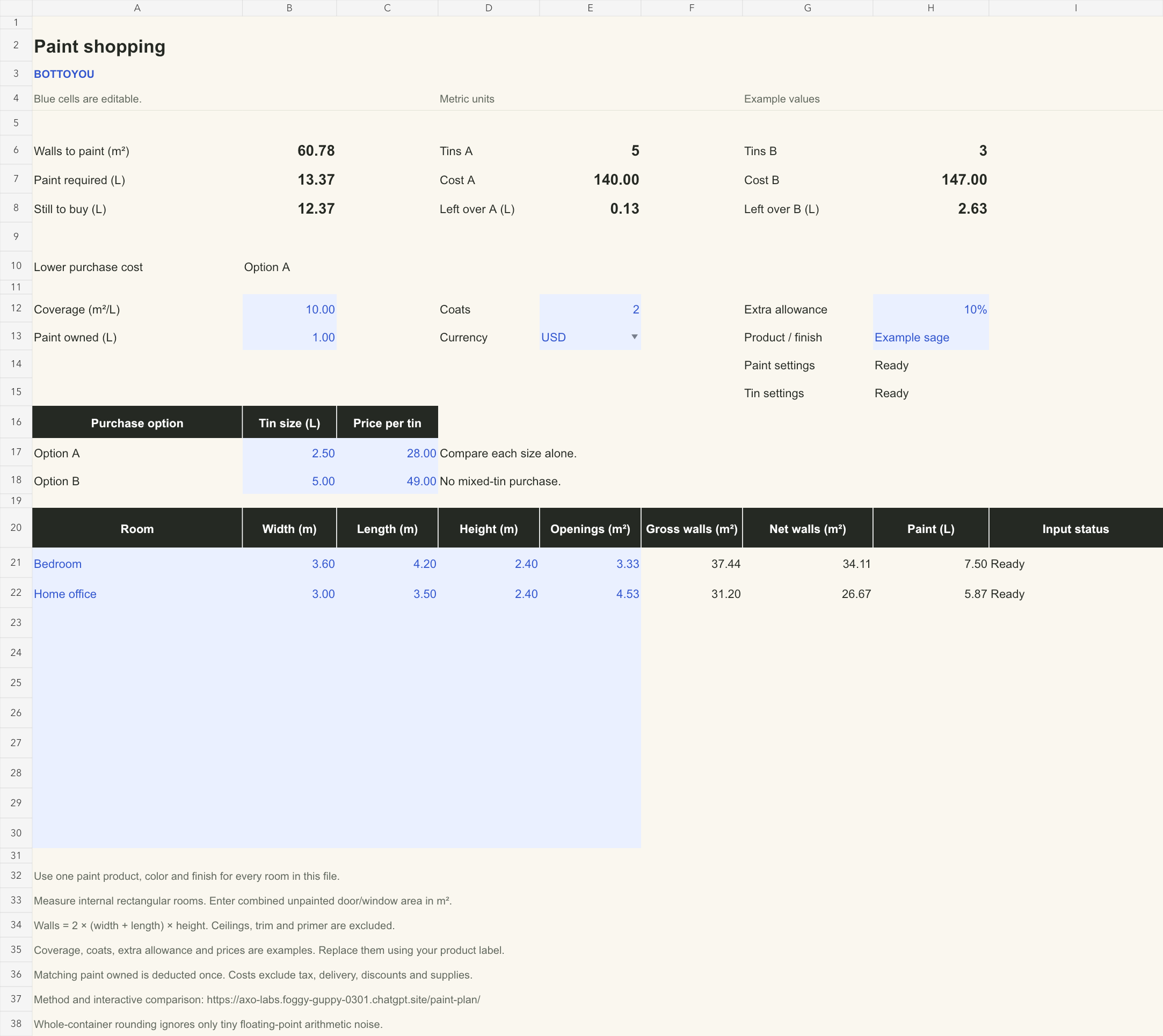
Multi-room Paint Shopping
One paint, several rooms, two tin sizes. Keep room measurements together, deduct doors and windows, account for matching paint you own, and compare buying only size A with buying only size B.
Download Paint Shopping ↓Make the example your own
- Replace the blue room cells with your internal width, length and height in metres. Enter the total area you will not paint as openings in m²; use 0 when none are excluded.
- Set coverage from the actual tin, coats, your extra allowance and matching paint already owned. The supplied values are examples.
- Enter two tin sizes and prices for the same product, color and finish. Read whole tins, purchase cost and paint left over at the top.
The included example: 60.78 m² of walls × 2 coats ÷ 10 m²/L, plus 10%, needs 13.3716 L. With 1 L owned, five 2.5 L tins cost $140; three 5 L tins cost $147.
This sheet compares each size alone. For a same-paint mixed-size purchase or a single wall, use Paint Plan. Ceilings, trim and primer are excluded.
Garden & Outdoors · 02
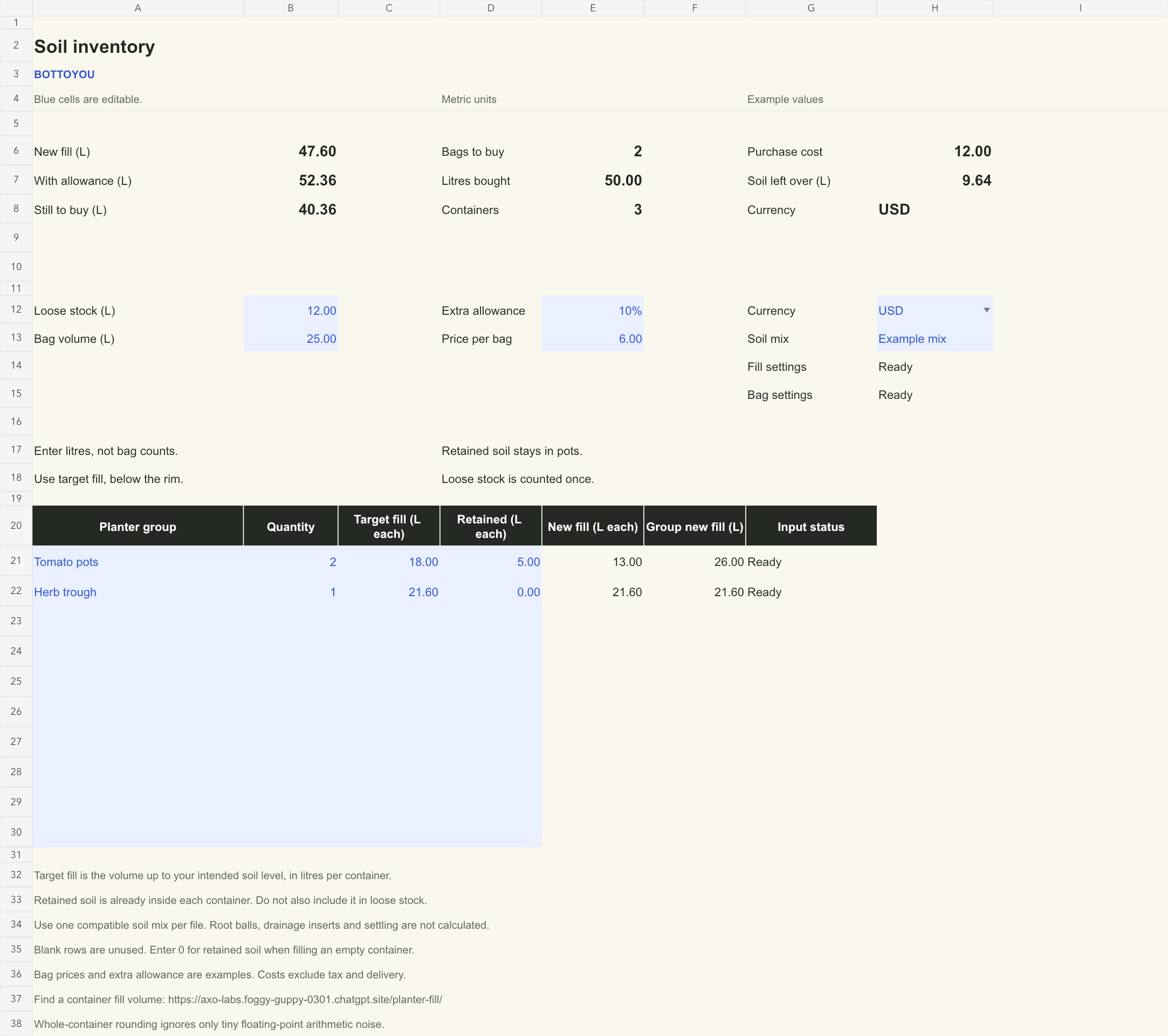
Multi-planter Soil Inventory
Keep the soil already in your pots separate from the loose bag in the shed. Group matching containers, enter their target fill, and turn the remaining need into whole bags and a shopping cost.
Download Soil Inventory ↓Count what you actually need
- Enter each group’s quantity and target fill in litres per container, up to your intended soil level. Need a volume from dimensions? Start with Planter Fill.
- Enter the usable soil retained inside each container. Use 0 for an empty pot. Enter loose stock separately; do not count the same soil twice.
- Set your allowance, bag volume and price. Use one compatible soil mix per file, then read bags to buy, cost and surplus.
The included example: two 18 L pots retaining 5 L each, plus an empty 21.6 L trough, need 47.6 L of new fill. With 10% extra and 12 L loose stock, buy two 25 L bags at $6: $12, with 9.64 L left over.
The sheet starts from volumes you enter. It does not calculate root balls, drainage inserts, compaction or settling. Confirm the growing medium suits your plants.
Before the shop run
A few small details that matter.
How do I clear the examples or add a row?
Overwrite the blue input cells in rows 21–30. To remove a room, clear that row’s blue cells in columns A–E; for a planter group, clear A–D. Keep the cream formula cells. Unused rows stay blank. Partially completed rows show an input message and make the affected estimate unavailable until corrected.
Can I use feet, gallons or different currencies?
These files use metres, square metres and litres throughout. Do not paste measurements in other units. The currency dropdown labels your entered prices; it does not convert them. The browser paint and planter tools offer unit switching.
What changes when I edit a blue cell?
The formulas recalculate quantities and the shopping summary. Whole tins or bags round up using the full calculated quantity; displayed decimals do not set the purchase count. Tiny floating-point arithmetic noise at a whole-container boundary is ignored; a genuine amount above it can need another container. Prices must use at most two decimal places. Example allowances are adjustable, not recommendations.
What do I need to open the files?
A spreadsheet app that supports .xlsx files and standard formulas. Each file has one worksheet, no macros and no external data connections. The formulas were checked by editing inputs and reopening the saved files with our spreadsheet build engine. Native Microsoft Excel and LibreOffice opening have not yet been verified.
Where do my measurements go?
These are downloadable files. They do not send measurements back to this website. If you open or store a file in a cloud spreadsheet service, that service handles your copy under its own settings.